Work
Bookings, services, jobs, attendance, and assignments
PayCanvas receives operational inputs, normalizes them into a consistent payroll structure, and runs the rules exactly as they are written in the Canvas. Every result remains reviewable, traceable, and explainable.
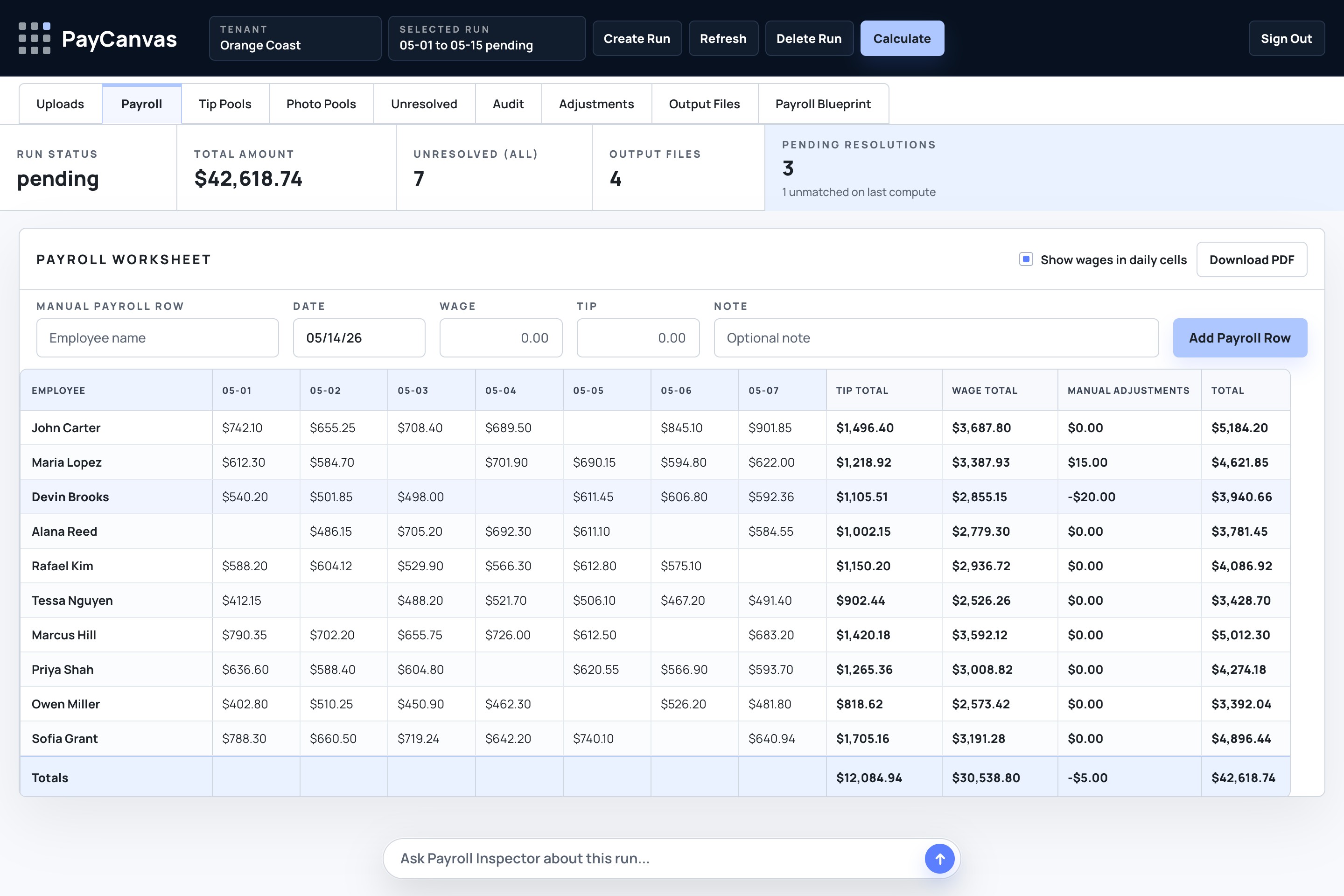
Bookings, jobs, time records, sales, tips, and custom fields each describe part of what happened. PayCanvas turns those fragments into the consistent concepts the engine needs.
Bookings, services, jobs, attendance, and assignments
Employees, roles, teams, eligibility, and locations
Sales, tips, pools, commissions, rates, and adjustments
Dates, status, custom fields, approvals, and exceptions
PayCanvas maps source-specific fields into a stable payroll model. This is what lets one Canvas run consistently even when upstream systems label the same concept differently.
It defines eligibility, rates, pools, commissions, exceptions, and review requirements in plain, inspectable logic.
Set a rate by service, role, passenger count, unit, or completed event.
Only pay people whose normalized work record satisfies the written role requirements.
Apply different rates, pools, or eligibility when operating context changes.
Group money at the right level, then allocate it using the approved weighting.
Create earnings from eligible sales without confusing revenue with payroll.
Hold incomplete or contradictory inputs for review instead of silently choosing an answer.
The engine applies the reviewed Canvas to normalized inputs. Reviewers can follow a result backward through every stage.
Connected data, exports, and approved adjustments
Names and events become one consistent structure
The engine applies the reviewed payroll logic
Totals, evidence, and questions stay together
Approved numbers move to downstream payroll work
The example is intentionally generic. It shows how common operational facts map through a Canvas without implying a required source system or a specific customer’s policy.
| What happened | Normalized input | Canvas rule | Result |
|---|---|---|---|
| Completed service | Service event + assigned lead | Lead rate by completed event | Role pay line |
| Supporting crew | Eligible work assignment | Crew rate for the same service | Crew pay line |
| Shared gratuities | Pool grouped by date and location | Weighted role split | Tip allocation |
| Eligible package sale | Sale linked to completed work | Commission percentage | Commission line |
| Missing assignment | Revenue exists without a person | Assignment evidence required | Exception for review |
PayCanvas keeps the source row, normalized meaning, Canvas rule, human decision, and resulting amount in one explanation path.
What PayCanvas replaces, what it does not replace, and how it handles incomplete operational data.
No. PayCanvas receives configured inputs from the systems and reports you already use. It normalizes those inputs, runs the rules written in your Canvas, and produces results that can be reviewed and explained.
No. PayCanvas is not positioned as a payroll tax filing or benefits provider. It helps calculate, explain, review, and prepare payroll-ready outputs for downstream payroll workflows.
Yes. A Canvas can model rates by role, service, passenger count, quantity, location, eligibility, or another reviewed operational measure.
Yes. PayCanvas can model and review pools by date, work event, location, role eligibility, weighting, approved corrections, and the audit trail behind each allocation.
A Canvas can be configured around available work activity, manifests, time records, sales, tips, commissions, roles, locations, custom fields, and approved corrections. Exact availability depends on the reviewed setup.
PayCanvas keeps the question visible for review. Missing assignments, conflicting roles, incomplete source records, or undocumented corrections can stop the affected result before payroll is finalized.
Bring the systems, exports, rules, exceptions, and payout questions your team works with today. No polished process map required.
Request a setup review