Bookings, hours, sales, pools, and adjustments
Synthetic sample · no production payroll data
Follow one payroll result from raw inputs to reviewed output.
This walkthrough shows how PayCanvas receives operational inputs, normalizes them into a consistent structure, runs the rules written in the Canvas, and keeps the explanation attached to the result.
Inputs→Normalize→Canvas→Review
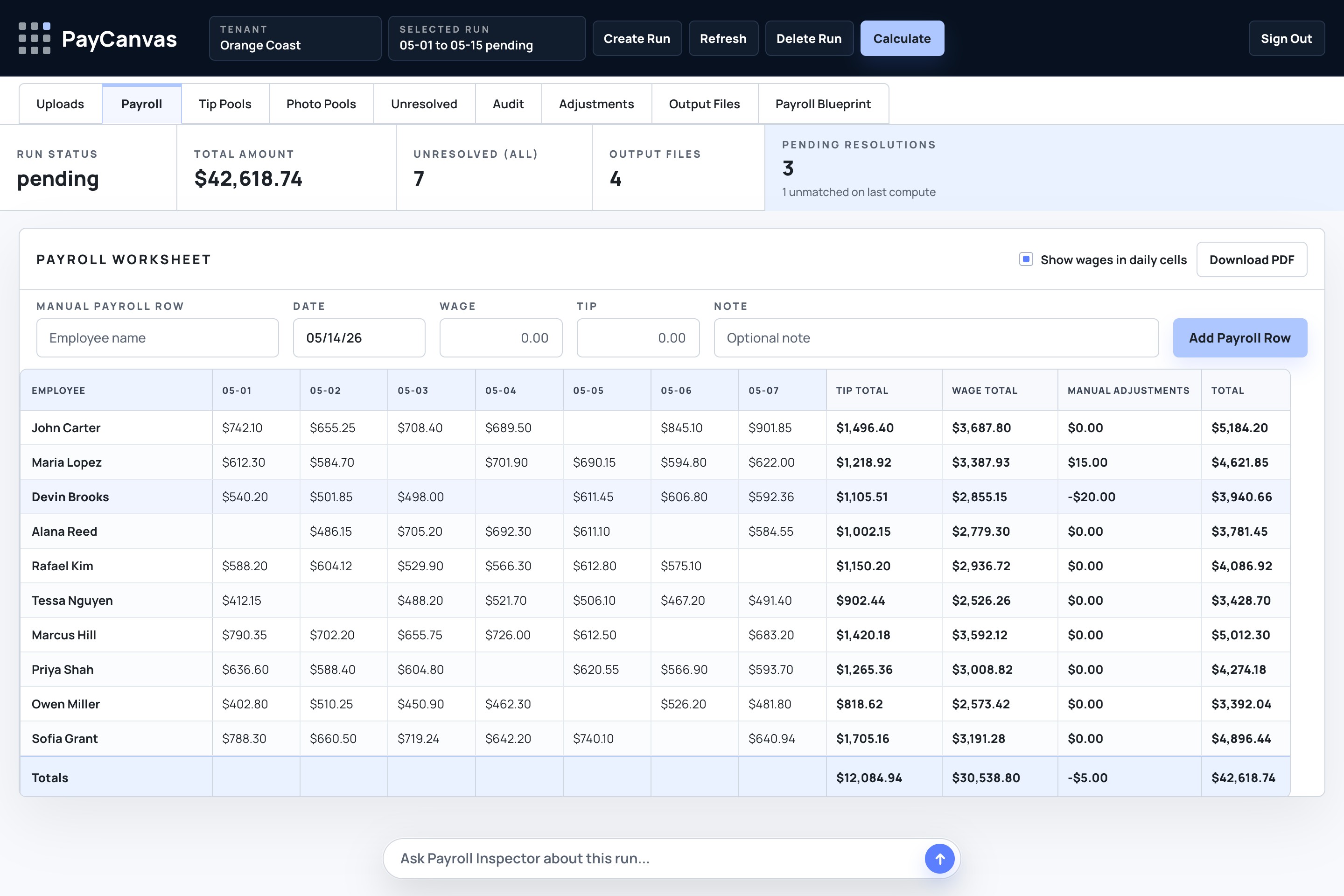
THE WHOLE RUN
One governed path, not a chain of mystery spreadsheets.
Each stage has a clear job. PayCanvas does not treat raw exports as payroll-ready, and it does not hide the decisions that shape the final amount.
People, work, roles, dates, and amounts line up
The engine follows the written pay logic
Questions, exceptions, totals, and files stay connected
01 · INPUTS
Useful operational data arrives in different shapes.
A source can tell PayCanvas that something happened without yet proving who should be paid, under which rule, or whether the record is complete.
Work activity
Bookings, jobs, services, locations, and assigned people
Time and attendance
Clock-ins, approved hours, and work dates
Sales and add-ons
Eligible sales, packages, commissions, and timing
Tips and pools
Direct gratuities, shared pools, weights, and eligibility
Reviewed adjustments
Approved corrections with a reason and reviewer
02 · NORMALIZATION
Different source language becomes one payroll vocabulary.
Normalization aligns identities, dates, roles, locations, work events, and money. It also turns uncertainty into a visible question instead of a silent assumption.
Different employee names→One person record
Service and location labels→Consistent work context
Hours, sales, and gratuities→Comparable earning inputs
Missing or conflicting details→Visible review questions
03 · THE CANVAS
The engine follows the rules as they are written.
The Canvas defines eligibility, rates, pools, commissions, adjustments, and stops for review. The engine applies that logic consistently to normalized data.
ROLE PAY
Pay an eligible role a set amount for each completed service.
HOURLY PAY
Multiply approved hours by the employee's effective rate.
TIP POOL
Group eligible gratuities, then split them using the written weights.
COMMISSION
Create an earning when an eligible sale maps to an eligible person.
ELIGIBILITY
Stop a calculation when required work, role, or assignment evidence is missing.
ADJUSTMENT
Apply an approved correction as its own traceable line item.
04 · REVIEWABLE RESULT
Clean totals without losing the evidence underneath.
These people and amounts are fictional. The point is the structure: each total remains connected to its inputs, Canvas rules, and review state.
| Employee | Hourly | Role pay | Tips | Commission | Adjustments | Total |
|---|---|---|---|---|---|---|
| Jordan Lee | $112.50 | $84.00 | $42.18 | $8.40 | $0.00 | $247.08 |
| Avery Cole | $90.00 | $52.00 | $37.62 | $0.00 | $15.00 | $194.62 |
| Morgan Price | $68.75 | $38.00 | $24.31 | $12.00 | −$20.00 | $123.06 |
SOURCE → RULE → AMOUNT
Why did Jordan Lee get paid $247.08?
PayCanvas can answer with the exact inputs and rules that contributed to the total—not just the final number.
Learn how the audit trail works →SOURCEApproved time record
RULE7.5 hours × $15.00
$112.50SOURCECompleted service
RULEeligible lead role rate
$84.00SOURCEShared gratuity pool
RULEweighted role split
$42.18SOURCEEligible add-on sale
RULE20% commission
$8.40QUESTIONS STAY VISIBLE
The engine stops guessing when evidence is missing.
Exceptions are not buried in a note or color-coded cell. They stay attached to the run until a reviewer resolves or acknowledges them.
Work has revenue but no assigned person
The source activity exists, but the person responsible for it is missing.
Hours overlap work without an eligible role
A time record exists, but the Canvas cannot prove that variable pay applies.
01Employee totals02Exception decisions03Source references04Payroll-ready summary05Audit trail
PayCanvas
YOUR CANVAS
The sample is generic. Your rules do not have to be.
Show us the inputs, decisions, and payout questions that make your payroll different. We will map them into a Canvas you can inspect before anything is built.
Request a setup review